🖐🏻 免责声明
本教程仅供学习交流使用,严禁用于商业用途和非法用途,否则由此产生的一切后果均与作者无关,请各读者自觉遵守相关法律法规。
# 官网
# 安装使用
# 1.创建并进入一个新目录
mkdir vuepress-starter && cd vuepress-starter
# 2.使用你喜欢的包管理器进行初始化
yarn init # npm init
# 3.将 VuePress 安装为本地依赖
yarn add -D vuepress # npm install -D vuepress
# 4.创建你的第一篇文档
mkdir docs && echo '# Hello VuePress' > docs/README.md
# 5.创建部署脚本
package.json文件中
{
  "scripts": {
    "dev": "vuepress dev docs",
    "build": "vuepress build docs"
  }
}
# 6.在本地启动服务器
yarn dev
# 目录结构
.
├── docs
│   ├── .vuepress (可选的)
│   │   ├── components (可选的)
│   │   ├── theme (可选的)
│   │   │   └── Layout.vue
│   │   ├── public (可选的)
│   │   ├── styles (可选的)
│   │   │   ├── index.styl
│   │   │   └── palette.styl
│   │   ├── templates (可选的, 谨慎配置)
│   │   │   ├── dev.html
│   │   │   └── ssr.html
│   │   ├── config.js (可选的)
│   │   └── enhanceApp.js (可选的)
│   │
│   ├── README.md
│   ├── guide
│   │   └── README.md
│   └── config.md
│
└── package.json
docs/.vuepress: 用于存放全局的配置、组件、静态资源等。docs/.vuepress/components: 该目录中的 Vue 组件将会被自动注册为全局组件。docs/.vuepress/theme: 用于存放本地主题。docs/.vuepress/styles: 用于存放样式相关的文件。docs/.vuepress/styles/index.styl: 将会被自动应用的全局样式文件,会生成在最终的 CSS 文件结尾,具有比默认样式更高的优先级。docs/.vuepress/styles/palette.styl: 用于重写默认颜色常量,或者设置新的 stylus 颜色常量。docs/.vuepress/public: 静态资源目录。docs/.vuepress/templates: 存储 HTML 模板文件。docs/.vuepress/templates/dev.html: 用于开发环境的 HTML 模板文件。docs/.vuepress/templates/ssr.html: 构建时基于 Vue SSR 的 HTML 模板文件。docs/.vuepress/config.js: 配置文件的入口文件,也可以是YML或toml。docs/.vuepress/enhanceApp.js: 客户端应用的增强。
# 配置
# 文件结构
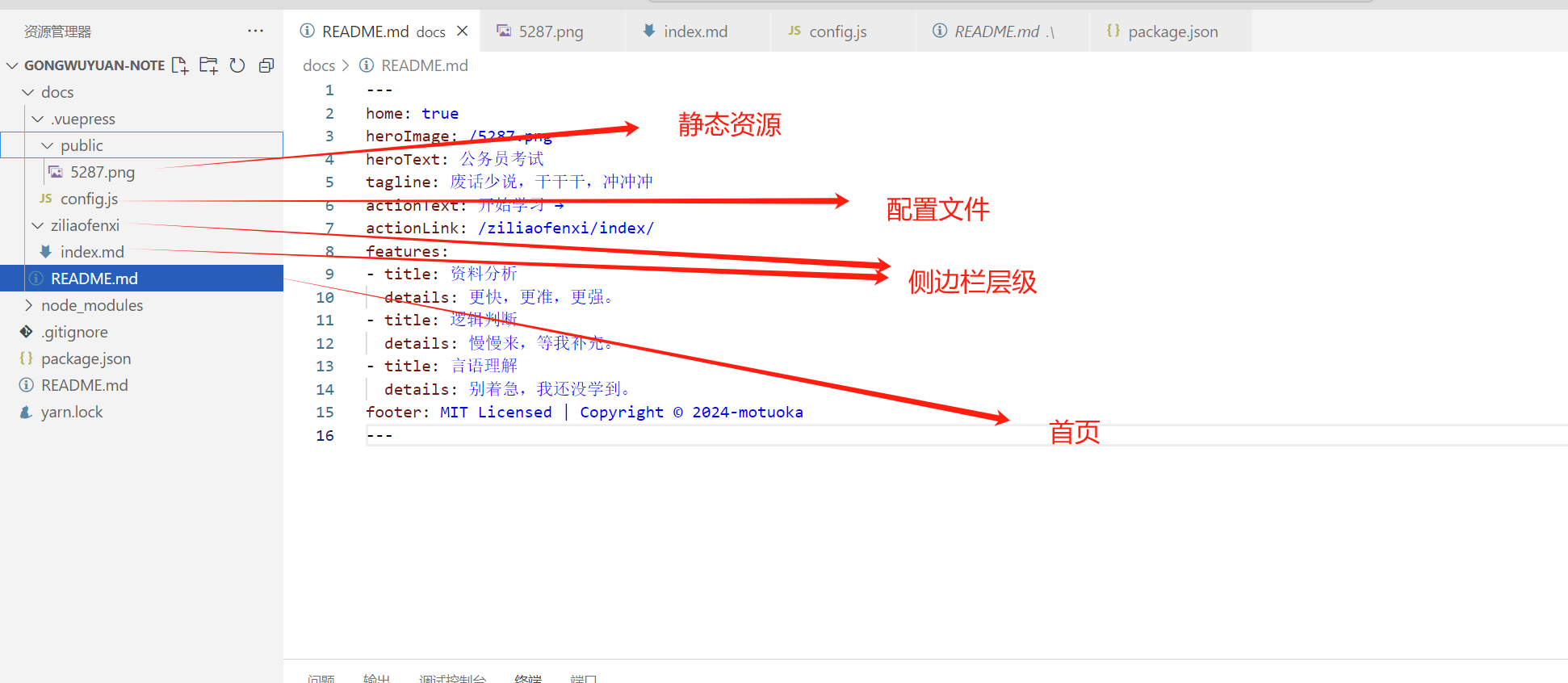
# 首页配置
---
home: true
heroImage: /5287.png
heroText: 公务员考试
tagline: 废话少说,干干干,冲冲冲
actionText: 开始学习 →
actionLink: /ziliaofenxi/index/
features:
- title: 资料分析
  details: 更快,更准,更强。
- title: 逻辑判断
  details: 慢慢来,等我补充。
- title: 言语理解
  details: 别着急,我还没学到。
footer: MIT Licensed | Copyright © 2024-motuoka
---
# 效果
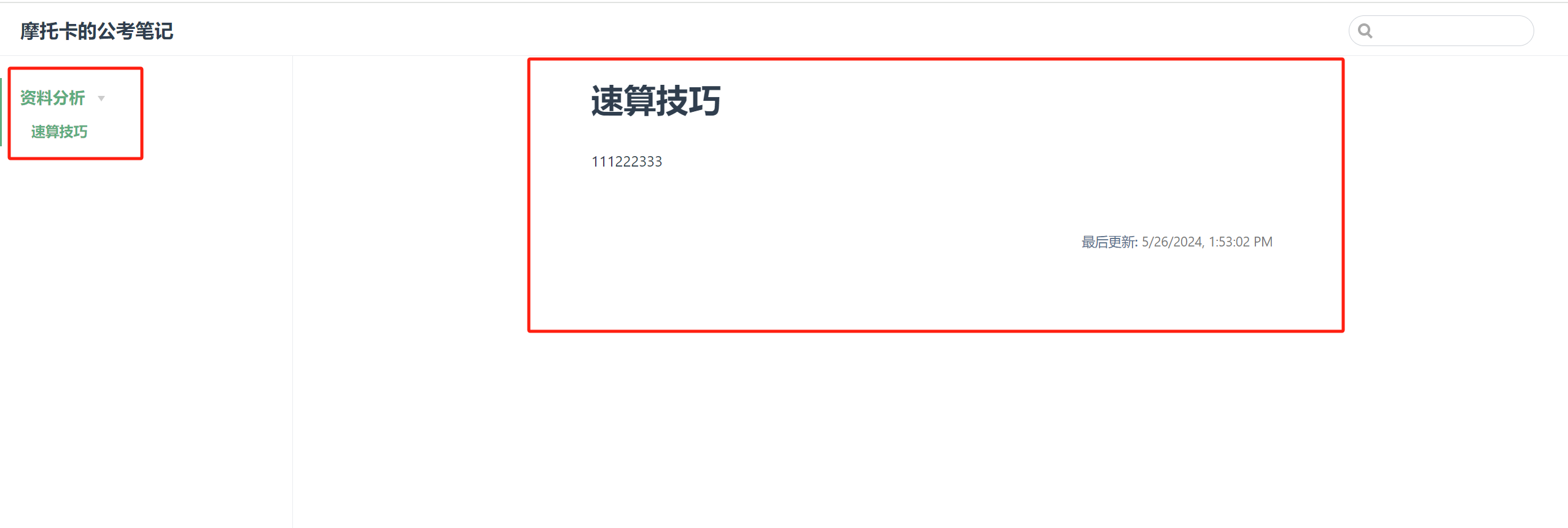
自己对着界面和代码可以理解,一共没几个元素

# 简单范例
我这里没有配置navbar,只配置了sidebar
路径结合配置--文件结构去理解
module.exports = {
  title: "摩托卡的公考笔记",
  description: "记录公务员考试学习过程的各大小知识点",
  themeConfig: {
    lastUpdated: '最后更新', // string | boolean
    sidebar: [
        {
          title: '资料分析',   // 必要的
          path: '/ziliaofenxi/',      // 可选的, 标题的跳转链接,应为绝对路径且必须存在
          collapsable: true, // 可选的, 默认值是 true,
          sidebarDepth: 1,    // 可选的, 默认值是 1
          children: [
            {
                title: '速算技巧',   // 必要的
                path: '/ziliaofenxi/',      // 可选的, 标题的跳转链接,应为绝对路径且必须存在
            },
          ]
        },
      ]
  }
};
# 预览
# 默认主题配置
# 部署到vercel
# 1.新建一个github仓库
# 2.vercel (opens new window)中新建project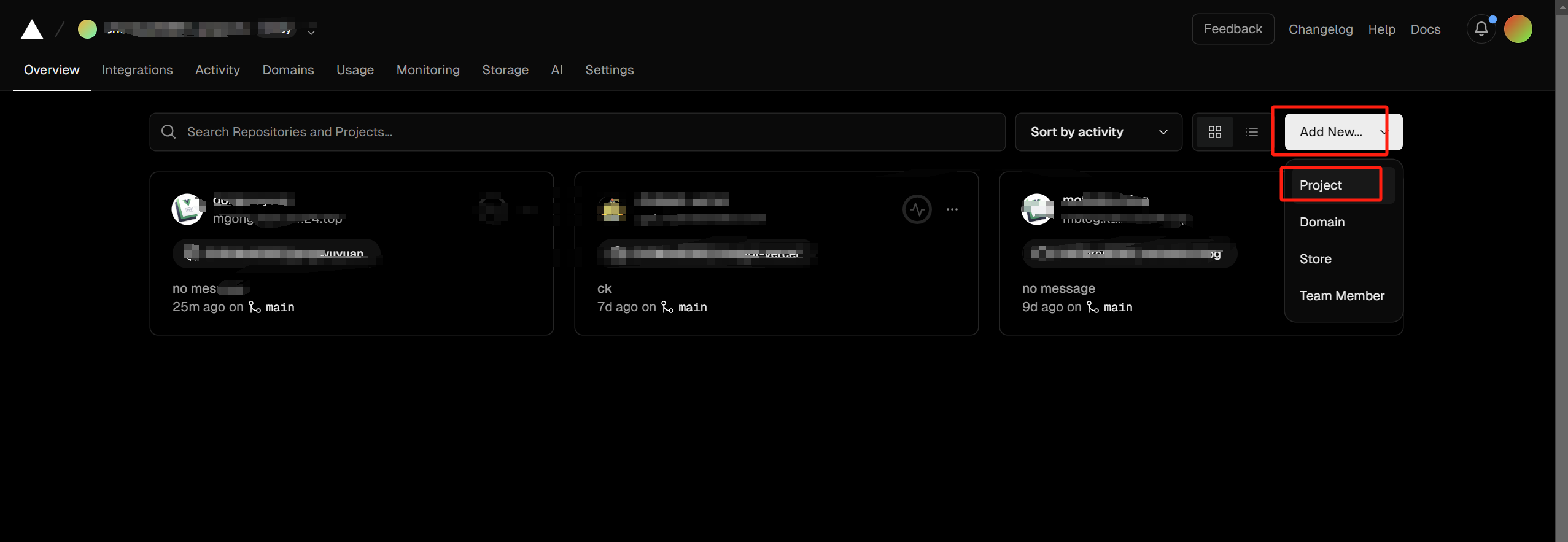
# 3.选择一个对应的git仓库,这之前需要绑定vercel和github,我这里不演示了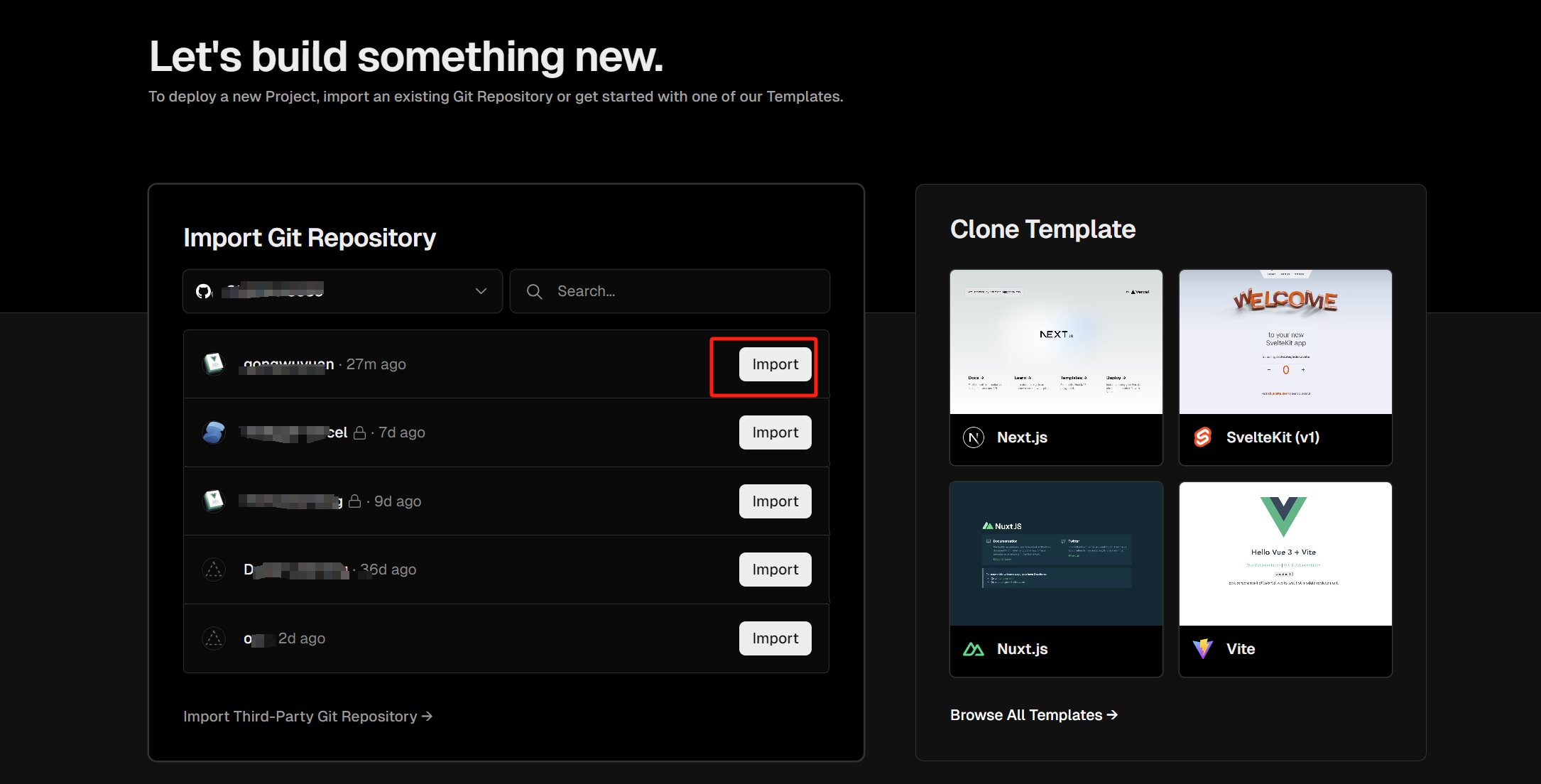
# 4.部署模板选择Vuepress
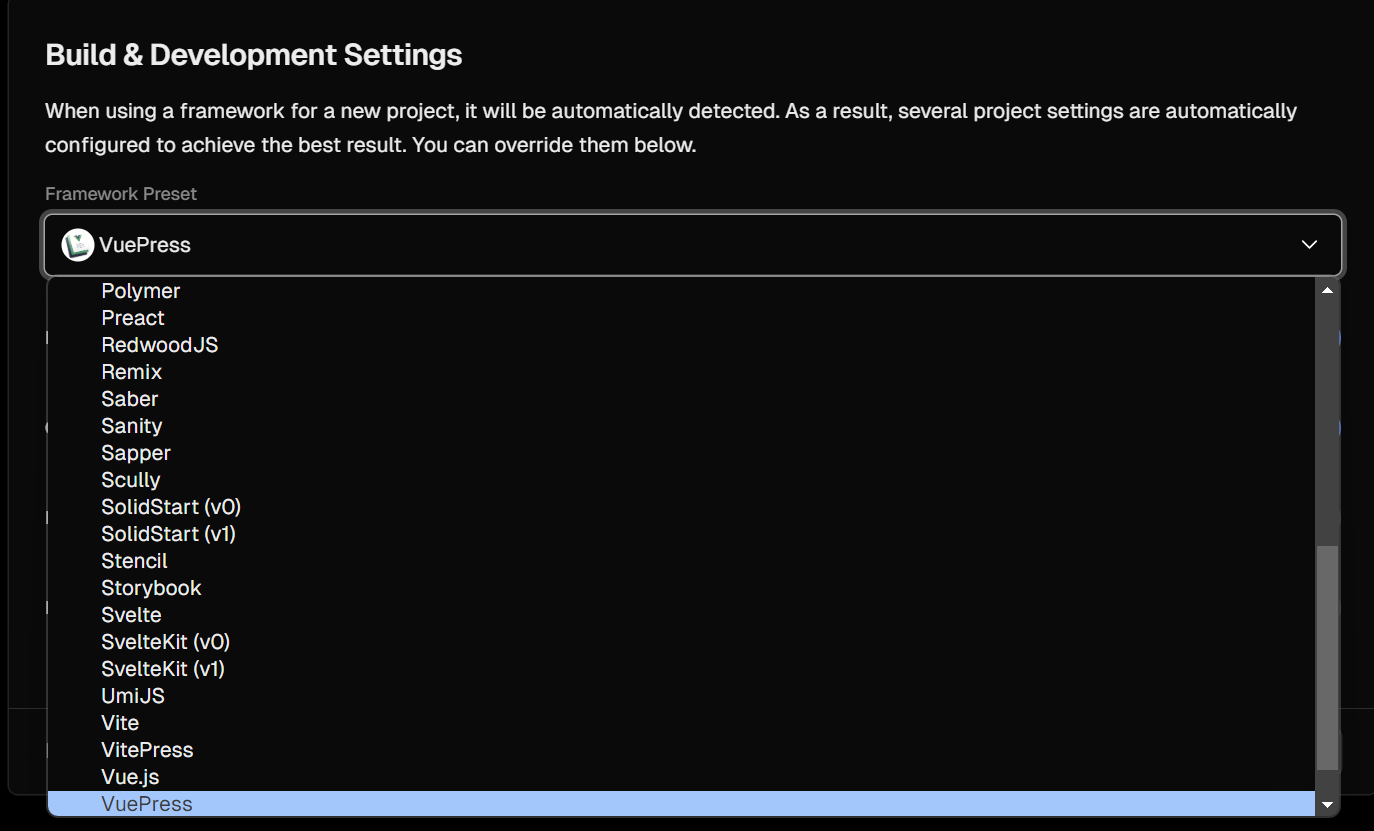
# 5.部署命令,注意md文件目录,默认是docs

# 6.绑定个人域名,vercel域名可能被墙
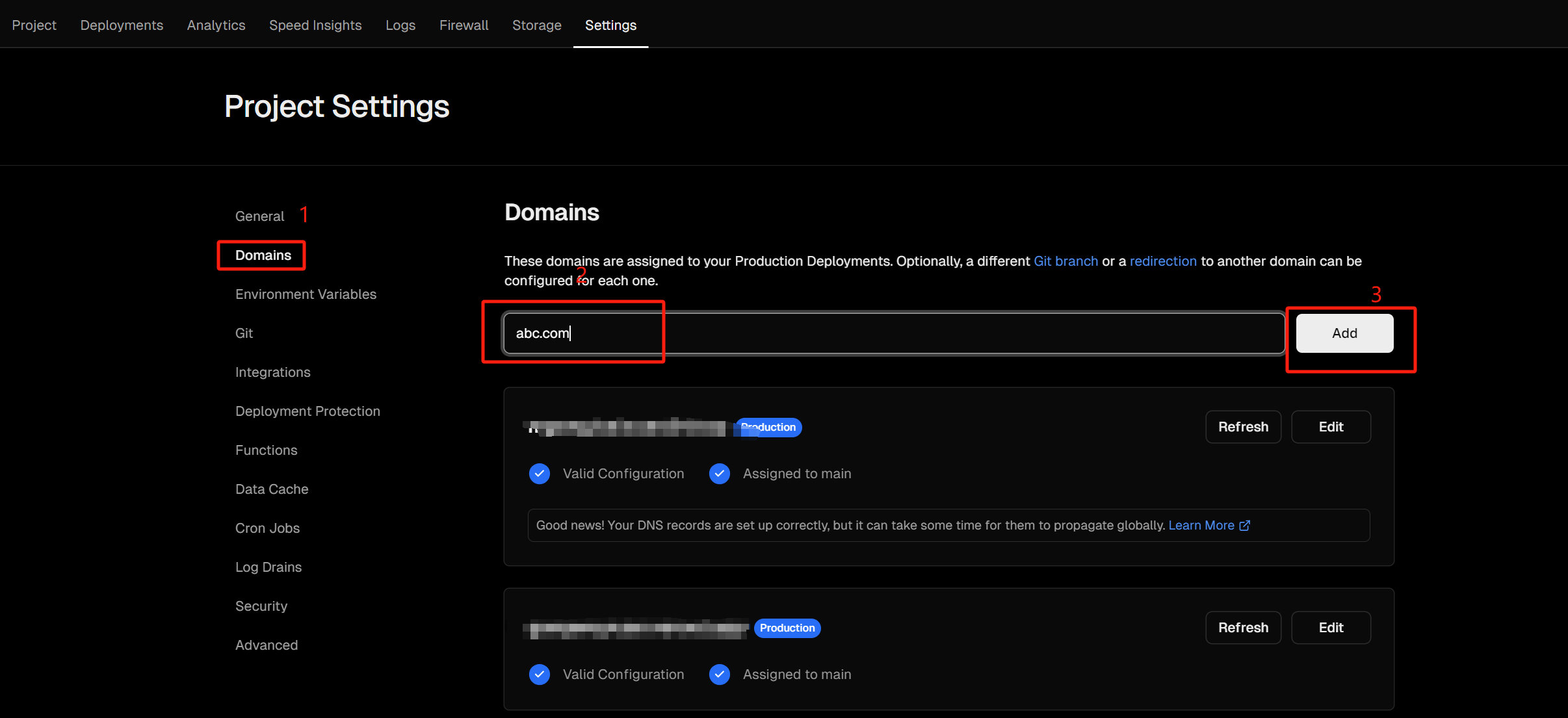
按提示去解析域名即可